




PrestaShop and Subiekt GT / nexo Integration: What to Know Before You Start


You track stock in Subiekt, and your sales run through PrestaShop. As long as there are only a few orders a day, someone re-types them by hand and corrects the stock at the end of the day. Once you hit dozens of orders, you get mistakes, items sold that are no longer in stock, and customers asking about their invoices.
An integration solves this problem, but only if it’s the right fit. It looks different for Subiekt GT, different for nexo, and different again if you also sell on Allegro. Below, we walk through the differences, the scope of data, ways to connect, and the usual pitfalls.
In short: first, check whether your version of Subiekt and your license allow writing documents, for example via Sfera. Next, decide which data flows in which direction and which program is the source for it. Finally, choose a module, a connector, or a custom-built solution.
Subiekt GT vs. Subiekt nexo: what it means for integration
Both programs come from InsERT, but they belong to two different product lines. That’s why a solution built for GT won’t necessarily work with nexo, and vice versa. Always ask the vendor about your specific version, not “Subiekt” in general.
The second important thing is Sfera. It’s an InsERT solution that exposes the program’s functions to other applications. In the nexo line, also check whether it requires the PRO version. Reading data is often possible in several ways, but if the integration needs to create documents in Subiekt, you’ll usually need Sfera or a solution that uses it. So before you talk about integration, check which licenses you have and whether they cover your version of the program.
The third issue is where things run. The store sits on a server on the internet, while Subiekt often runs on a computer or server in the office. So you need a connector that runs on the Subiekt side and exchanges data with the store. If that computer is turned off overnight, syncing stops too.
What data should the integration exchange?
The most common mistake is assuming that “everything should sync.” A good integration has clearly divided responsibilities. A typical split looks like this:
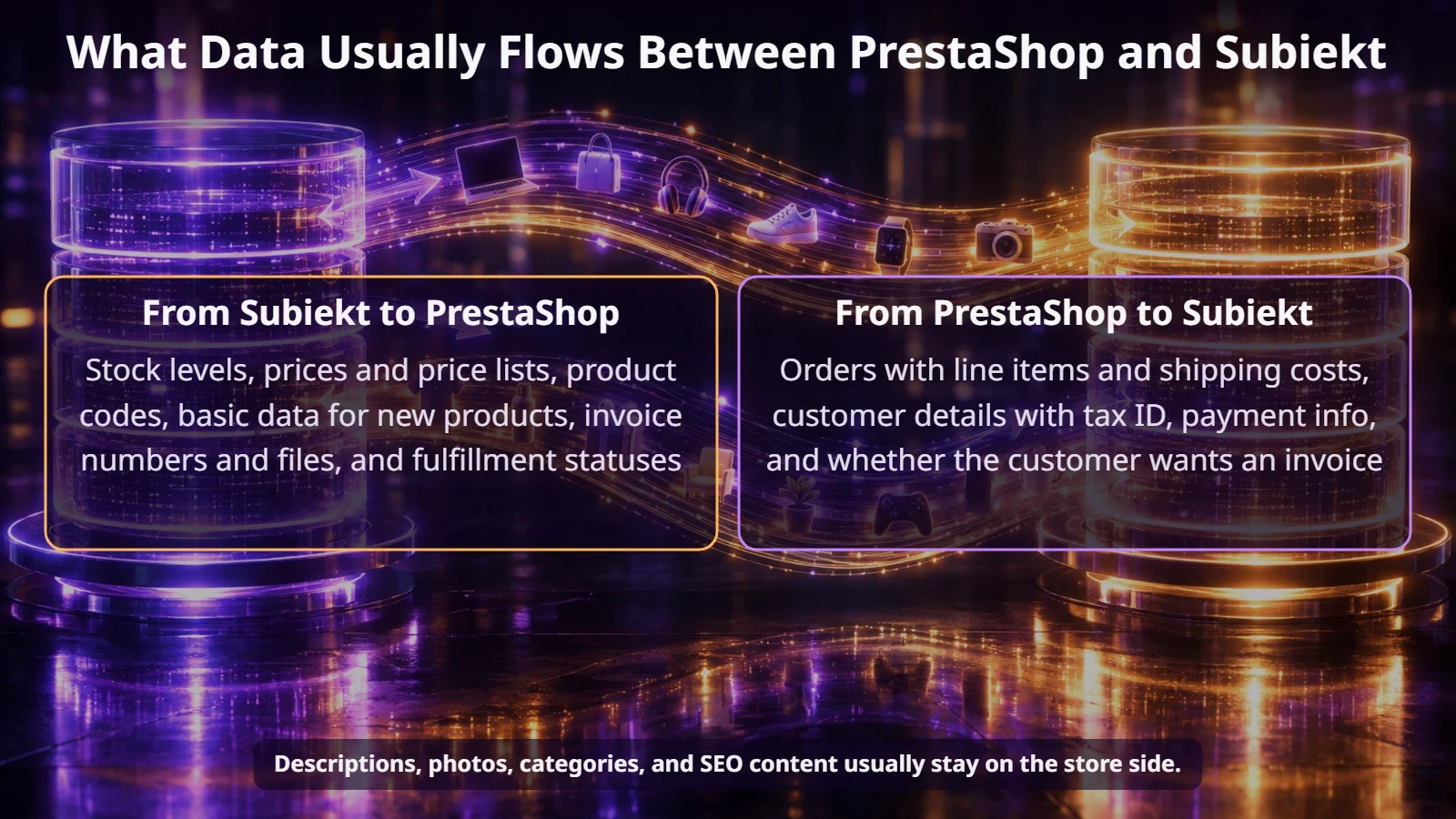
The product description in the store is usually richer than the name in Subiekt, so it shouldn’t be overwritten. The same goes for images. Stock and the base price, on the other hand, come from the sales program, and any manual changes in the store would disappear at the next sync anyway.
How do you match products when there are variants and sets?
Matching starts with a shared code, usually the item symbol or EAN. Check that it’s filled in for every product and isn’t duplicated. A single error in a code usually means an order that refuses to go through to Subiekt.
Variants need special attention. In PrestaShop, a T-shirt in three sizes is one product with combinations. In Subiekt, it’s usually three separate items with their own symbols. So the integration has to match them at the combination level. The same goes for product sets: the customer buys the whole set, and the document should list either its components or a separate line for the set. That needs to be agreed with your accounting team.
Orders and documents: what happens after a purchase?
An order from the store most often goes into Subiekt as a customer order. From there, different scenarios are possible: reserving the goods, issuing an invoice or receipt, or a warehouse release. It’s worth describing these paths in detail before anyone starts coding.
Rounding differences look like a minor detail. In practice, even a few cents’ difference between the payment and the invoice can eat up a lot of your accountant’s time every month.
The ECOMPLUS+ team
Module, Base, or a custom solution?
There’s no single right answer. The choice depends on how many sales channels you have and how unusual your process is.
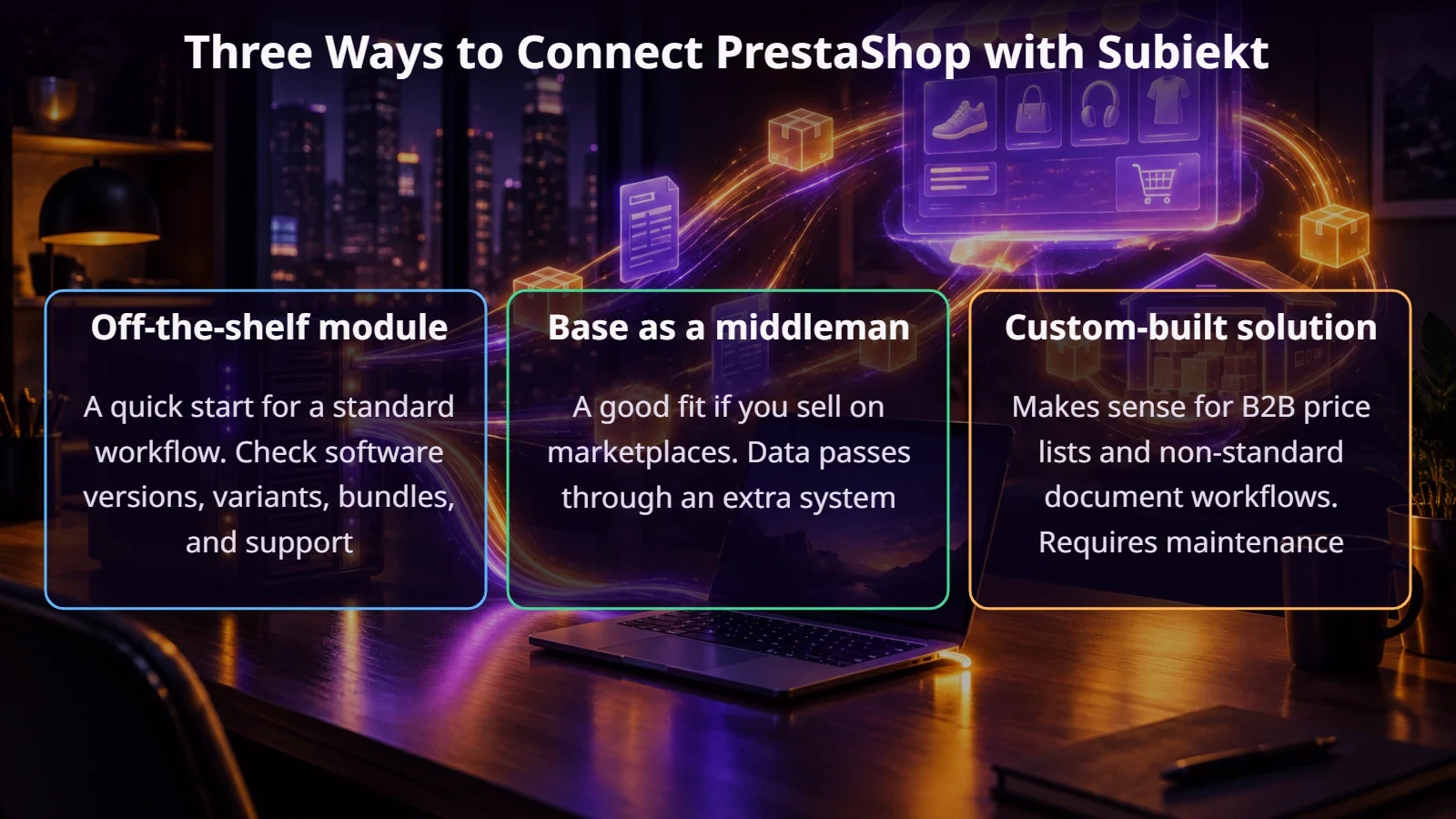
If Base already handles your marketplace sales, it can also connect your store to Subiekt. Check the scope of that connection for your version of the program. Keep in mind that it adds another system with its own syncing and its own mapping work. We write about connecting a store to Base, dividing up roles, and mappings in our article on PrestaShop and Base integration.
What to require from an integration vendor
When an integration doesn’t pay off yet
With just a few orders a week, the cost of licenses, implementation, and maintenance may outweigh the benefits. The same goes for when the item database in Subiekt needs cleaning up. In that case, fill in symbols, EANs, and prices first. An integration won’t fix anything on its own; it’ll just spread the errors faster.
Summary
A PrestaShop–Subiekt integration isn’t just about choosing a module. You need to check the version and licenses, decide on data directions, clean up codes, describe the document workflow, and only then choose how to connect. Doing it in that order saves the most headaches at launch.
If you’re wondering how to connect your store with Subiekt GT or nexo, get in touch. We’ll go through your order and document workflow, then suggest the simplest solution.
FAQ
Do you need Sfera to integrate with Subiekt GT?
If the integration needs to save documents in Subiekt, usually yes. The final requirements depend on the specific solution, so ask the vendor before you buy.
Can one integration handle both Subiekt GT and nexo?
Not always. They’re two different product lines. Check whether the vendor has confirmed implementations for your version.
How often do stock levels update?
It depends on the solution, anywhere from a few minutes to a few hours. The faster your products sell, the shorter that interval should be.
Does Subiekt need to be running all the time?
If it runs locally and the integration uses a connector on its side, the computer or server has to be on while data is being exchanged.