




PrestaShop One Page Checkout: When It Works and How to Implement It


PrestaShop’s standard checkout process has several steps. The customer logs in or enters their details, types in an address, picks a shipping method, and finally a payment method. For a returning customer on a desktop, that’s usually not a problem. For someone buying for the first time on their phone on the way to work, every extra screen is another chance to give up.
One Page Checkout, or OPC, brings those steps together in a single view. In this article, we explain what it is, when it helps, how it can be implemented, and what it looks like in our projects for SparkEye, Volvo-Bielany, and Furnitex.
In short: OPC shortens the path to an order and shows the full cost right away. It’s most useful for mobile shopping and stores with lots of new customers. But it won’t make up for unreasonable shipping costs or poorly chosen payment methods, and every implementation has to be tested with the store’s payments, shipping, and modules.
How is OPC different from the standard checkout?
The difference isn’t just the number of screens. It changes how the customer sees their order. We compare the two approaches below.
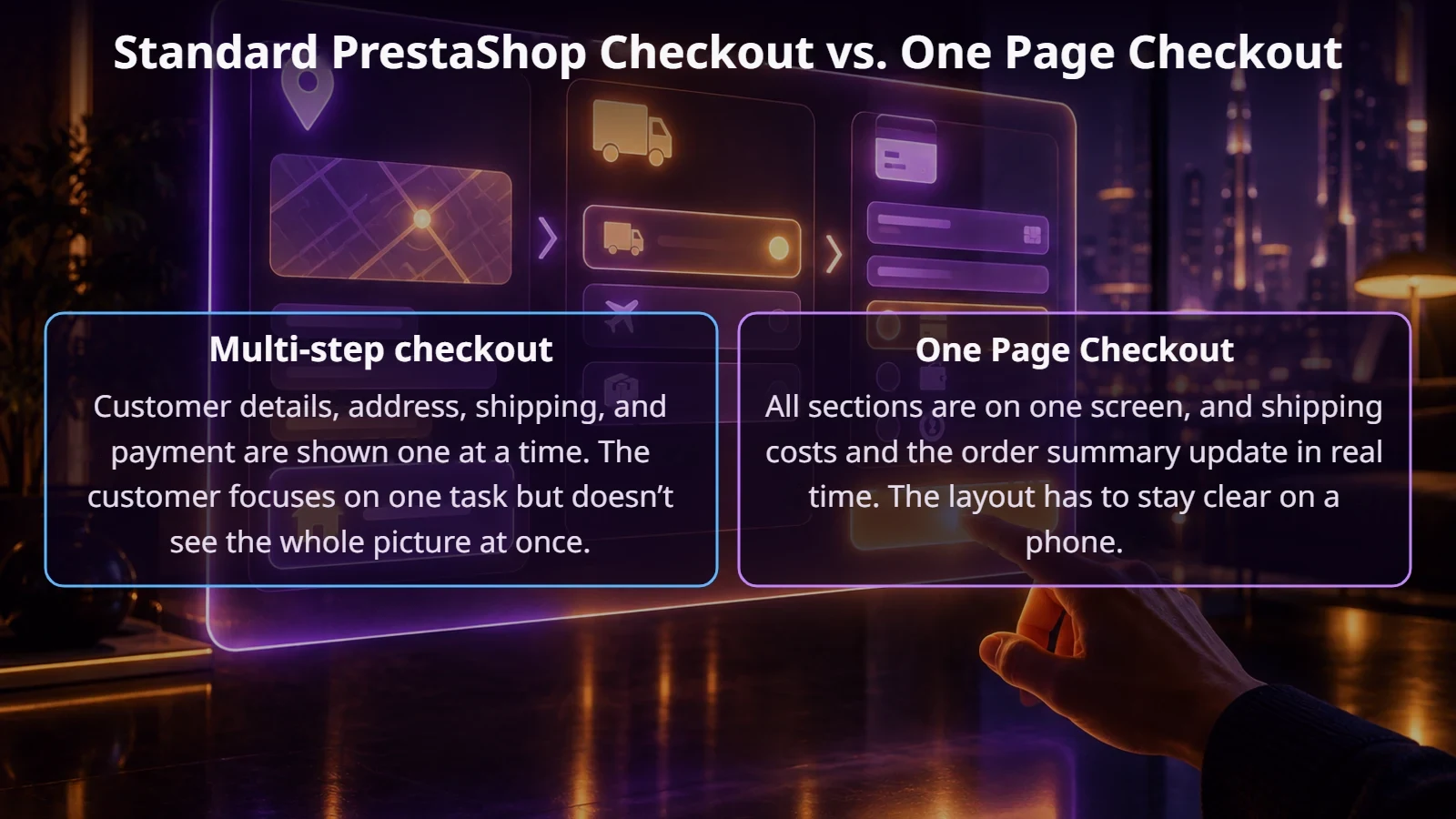
Be careful with promises like “OPC boosts conversion by X percent.” Numbers like these usually come from module vendors. Results depend on your industry, the quality of your checkout, and your customers. That’s why you should record your current data before the change and compare it with the previous period after launch.
When does a one-page checkout make the most sense?
How can OPC be implemented in PrestaShop?
The native module. According to PrestaShop’s documentation, version 9.2 ships with its own One Page Checkout module. The vendor released it as a beta, and you turn it on in the admin panel under the appearance and checkout settings. Before using it in production, check its current status and compatibility with your theme, payments, and modules. On an older version, upgrade the store first or choose a module from the marketplace.
An off-the-shelf module from the marketplace. Several solutions are available, and we use them ourselves. It’s often the fastest path for stores on PrestaShop 1.7 and 8.
A solution extended for your business. This works when the checkout has to handle unusual rules, for example order splitting, multiple addresses, or dropshipping. An off-the-shelf module can still be the foundation here, but development work is added on top.
Examples from our projects
These three projects show that “one-page checkout” means something slightly different at every company.
Volvo-Bielany.pl. A store selling genuine Volvo parts and accessories. Here we use The Checkout module. Customers often know exactly which part they need, so the most important thing is a fast path from cart to payment, including tax ID (NIP) verification for business purchases.
SparkEye.pl. An eyewear store that works together with physical showrooms. Customers can work with a chosen showroom, which requires pickup and shipping information to be clear on the same screen as the rest of the order.
Furnitex. An example of a demanding B2B implementation. The foundation is an OPC checkout, but the order is split based on product availability, and customers can choose 48-hour courier delivery when all items are in the local warehouse. Dropshipping customers can add a shipping label and enter the recipient’s address. This project shows best how many extra rules can hide behind a single screen.
What to watch out for during implementation
OPC touches the parts of your store where money changes hands. That’s why we go through the checklist shown in the diagram before launch.
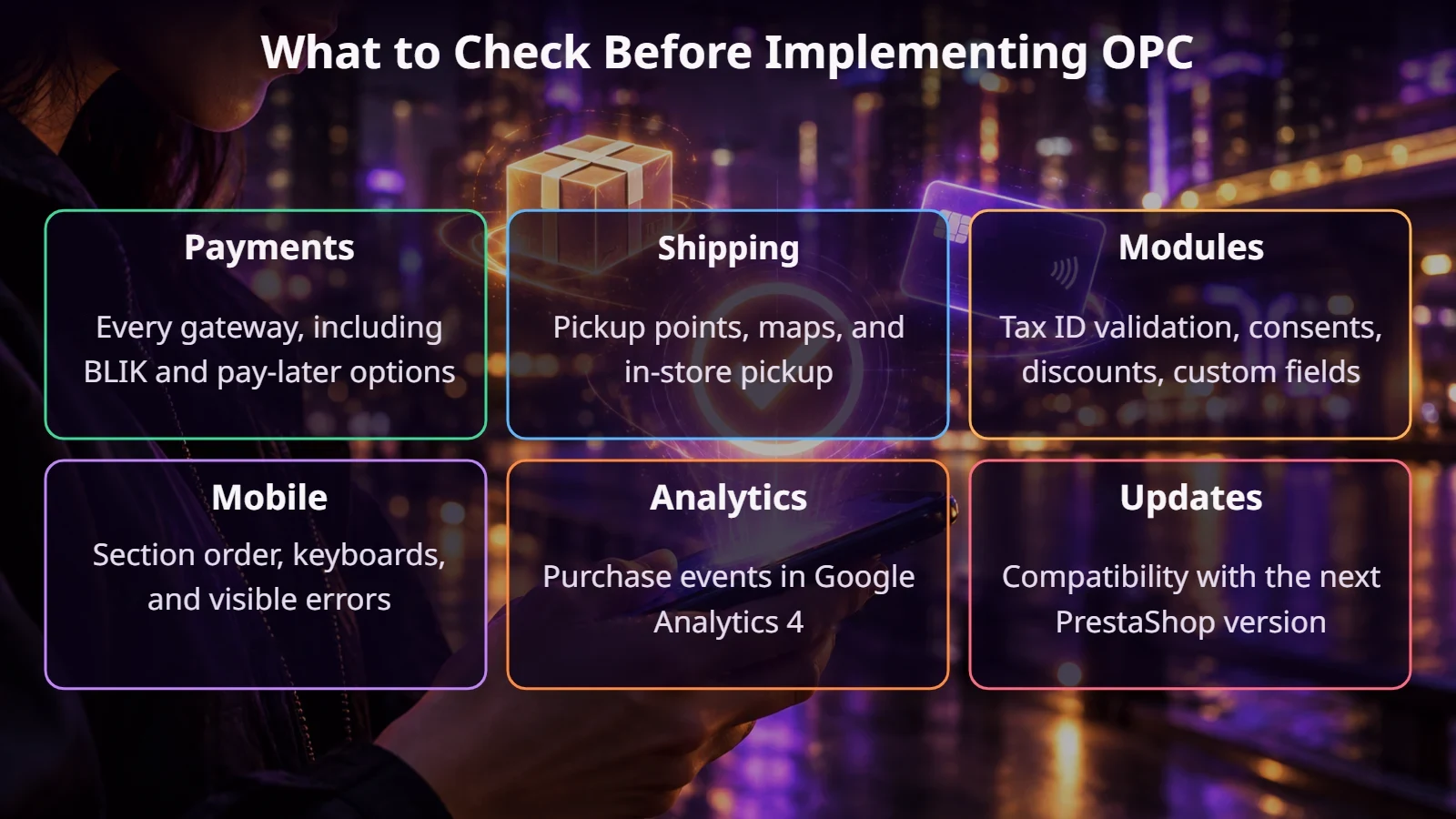
Arrange the sections in the order customers expect: contact details, address, shipping, payment, and summary. Don’t show a dozen fields if some of them only apply to businesses. Invoice details can be revealed when the customer checks the right option.
Also test unusual situations: an invalid discount code, a change of country, a product that just sold out, and returning from the payment gateway after a declined transaction.
The ECOMPLUS+ team
How do you tell whether the change paid off?
When don’t you need to change your checkout?
If analytics shows customers leaving before they even reach the cart, OPC won’t solve the problem. The same goes for B2B stores with logged-in customers and saved details. There, quick ordering by SKU is often worth more than rebuilding the form. And it’s not worth changing a checkout that works well just because OPC is trendy.
Summary
A one-page checkout can simplify buying, but its value depends on how it’s built. A well-organized form, tested payments and shipping, and before-and-after measurement matter more than the number of screens. Our article on abandoned carts shows what else is worth doing to win back customers who drop off.
If you’re considering OPC for your store, get in touch. We’ll check how your checkout works today and tell you whether the change makes sense.
FAQ
Does PrestaShop have OPC out of the box?
According to the developer documentation, the One Page Checkout module is included with PrestaShop 9.2. Older versions usually rely on add-on modules.
Does OPC always increase sales?
Not always. It helps when the checkout process itself is the problem. Check it against your own data before and after launch.
Can customers buy without creating an account?
Yes, if guest checkout is enabled. You can offer account creation after the order is complete.
Is OPC suitable for a B2B store?
Yes, but it often needs to be extended with company details, shipping rules, and payment terms assigned to each business account.