




B2B Price Negotiator: How It Works and When to Implement It


Wholesale customers rarely accept the catalog price without a conversation. For a bigger order, they send an email, call their sales rep, and ask for a better deal. Then someone re-types what was agreed into the system, and three different inboxes end up with three different versions of the same conversation.
A price negotiator moves that conversation into the store. Instead of placing an order right away, the customer submits their offer, and your team replies in the same place. In this article, we show how it works, what it’s made of, and when a feature like this makes sense.
In short: a price negotiator is a mechanism where a B2B customer proposes a price for an order, and the seller accepts it, rejects it, or responds with a counteroffer. Once they agree, an order is created at the agreed price. The most important things to settle are discount limits, offer expiration, and what happens to stock while the negotiation is underway.
Where the need for a negotiator comes from
In B2B sales, price often depends on volume, how long you’ve worked together, payment terms, and current inventory. Group price lists cover the typical cases, but not all of them. A large one-time order or stock you want to move faster will end up in an individual conversation anyway.
On other platforms, a similar feature is often called a request for quote (RFQ) or converting a cart into a quote. PrestaShop doesn’t have it in this form out of the box, but there are “request a quote” modules. The difference is that a negotiator handles the entire exchange of offers, not just a single request.
The two most common models
Before you start designing screens, choose your starting point. Both models can run in the same store, but they affect your team’s work differently.
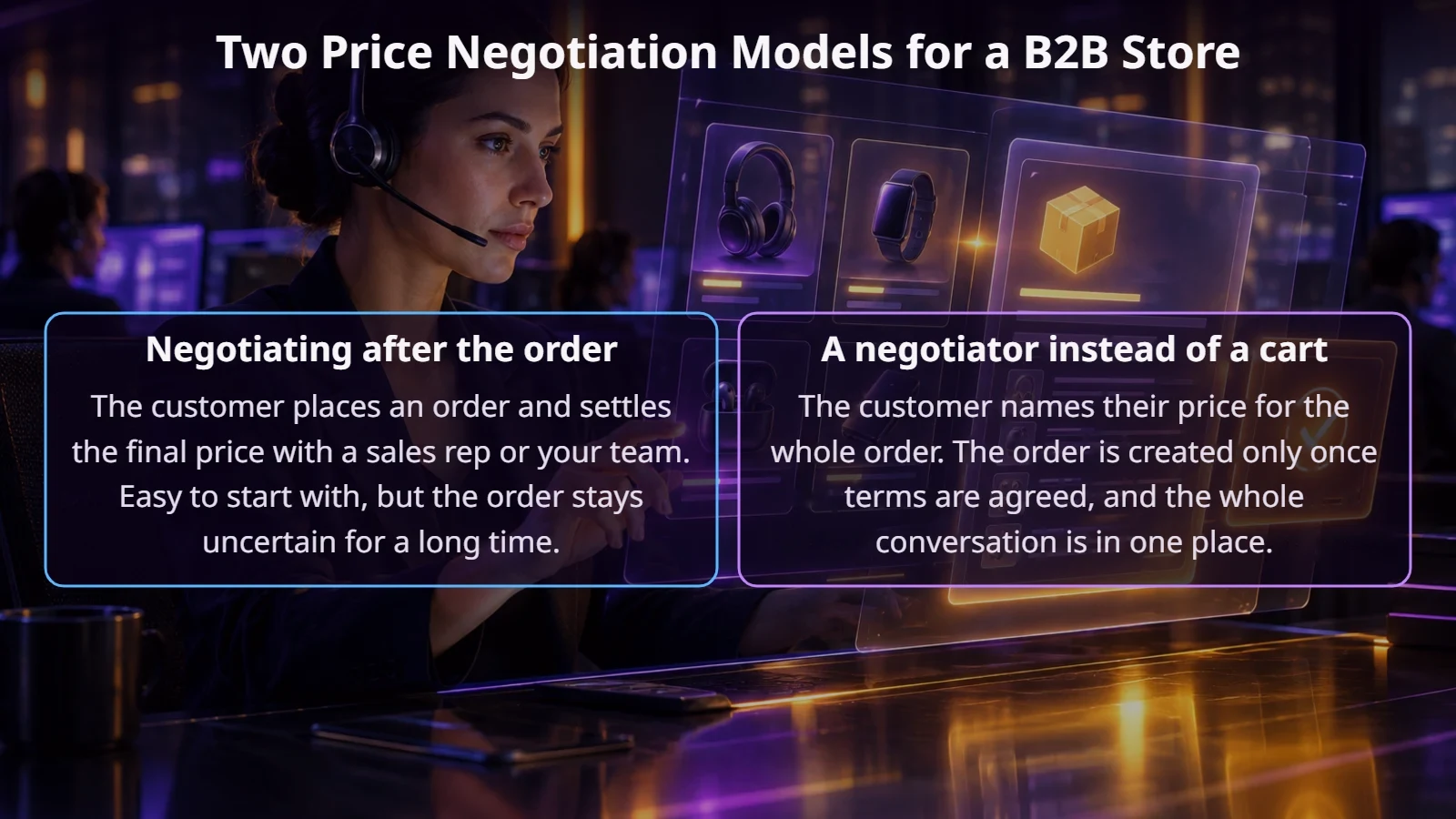
Negotiating after the order is a good place to start if your team confirms every order by phone anyway. A negotiator instead of the cart organizes the work better when there are many requests and customers want to track the status of the conversation in their account. One important point: in the second model, an offer isn’t an order yet, so it shouldn’t go to the ERP or generate any documents.
What does a single negotiation look like, step by step?
Below is the full flow of the model with a negotiator in place of the cart. The customer sees it in their account, and your team sees it in the store’s admin panel.
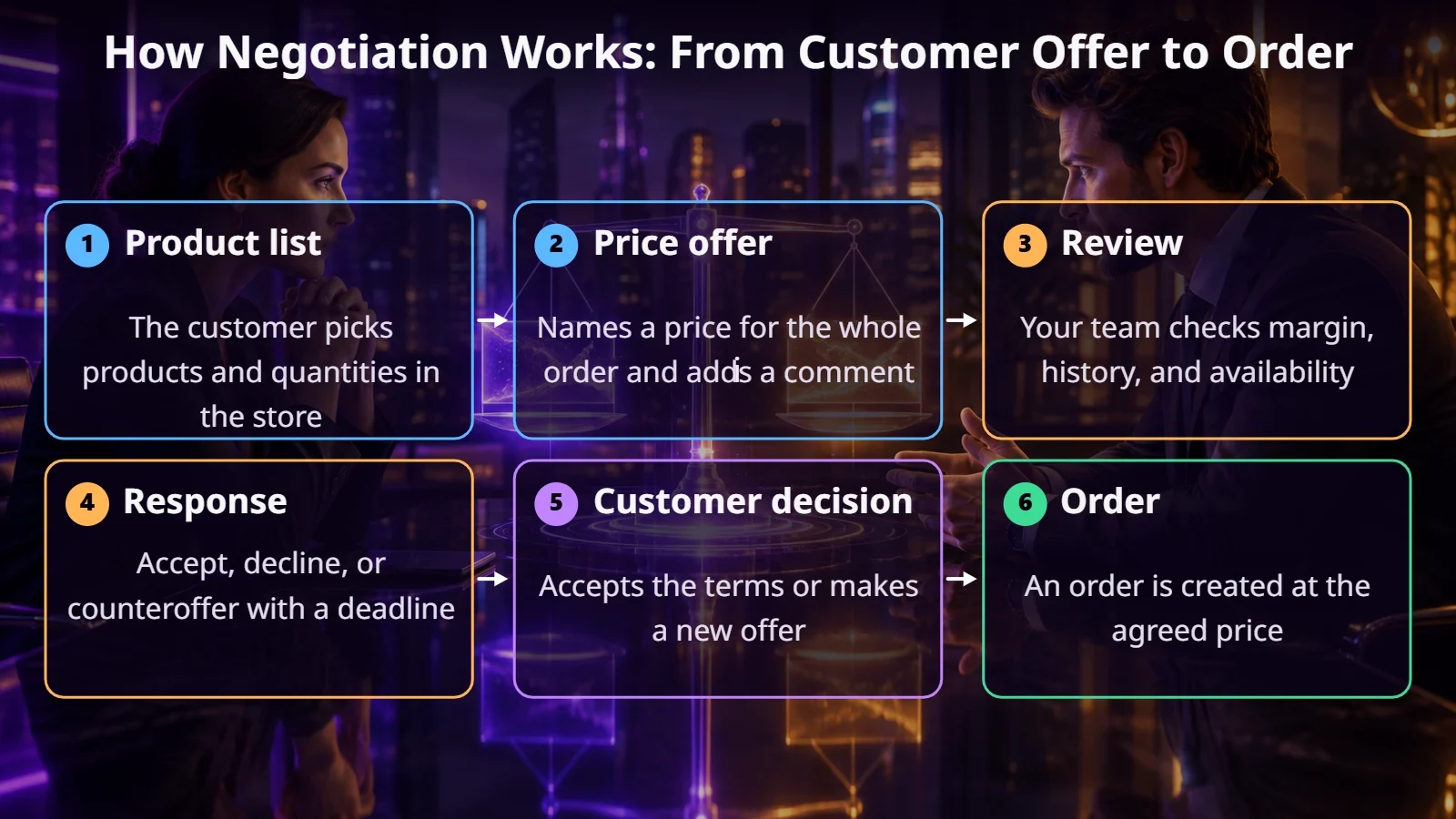
The offer can cover the whole order, as in the diagram, or individual line items. A price for the whole order is simpler for the customer. For billing, though, it has to be broken down into line items, because invoices and returns work at the product level. That’s why it’s worth agreeing on the allocation rule with your accounting team right away, for example proportionally to value.
The ECOMPLUS+ team
What needs to be decided before the module is built?
How does it work technically in PrestaShop?
It’s best to store offers and their history in separate tables, not in the standard carts. That way you can see every round: who proposed what price and when. Once accepted, the system creates a cart or order with the price assigned to that customer and that transaction. The storage method needs to be chosen so the discount can’t be reused.
If the store is connected to an ERP, the order with the final price is what should go into the system. Also check that the ERP doesn’t apply its own price list when creating the document. Our article on integrating with Symfonia shows how important it is to decide which system has the final say.
On top of that, you need notifications for both sides, plus reports: how many negotiations end in an order, how long responses take, and the average discount. Without them, it’s hard to tell whether the feature is paying off.
Will an off-the-shelf module do?
Sometimes. “Request a quote” modules handle simple price inquiries well. Counteroffers, multiple rounds, margin rules, and ERP connections are usually missing or heavily limited. Start by writing down your process, then compare it to a specific module. If it’s missing one or two things, extending it may be worth it. If it’s missing most of them, you’re better off with a custom-built solution.
When doesn’t a negotiator pay off?
Summary
A price negotiator makes sense where individual pricing is a normal part of selling. It gives customers a clear status, and gives your business a history of conversations and control over margins. Still, the most work goes not into the screens but into the rules: who decides what, how long an offer is valid, and what happens to the goods.
If you’re wondering whether a module like this would be useful in your store, get in touch. We’ll look at how you set prices today and suggest the simplest option.
FAQ
How is a price negotiator different from a request for quote?
A request for quote usually ends with a single reply from the seller. A negotiator handles an exchange of several offers and leads to an order.
Does PrestaShop have this feature out of the box?
No. There are modules for quote requests, but a full workflow with counteroffers often requires extending them or building a custom module.
Should stock be reserved during a negotiation?
That’s a business decision. A short reservation protects the customer, but one that’s too long blocks sales to others. It’s best to tie it to the offer’s expiration date.
Can a sales rep start the negotiation?
Yes, if the module supports it. The sales rep can prepare an offer in the admin panel and share it with the customer in their account.